
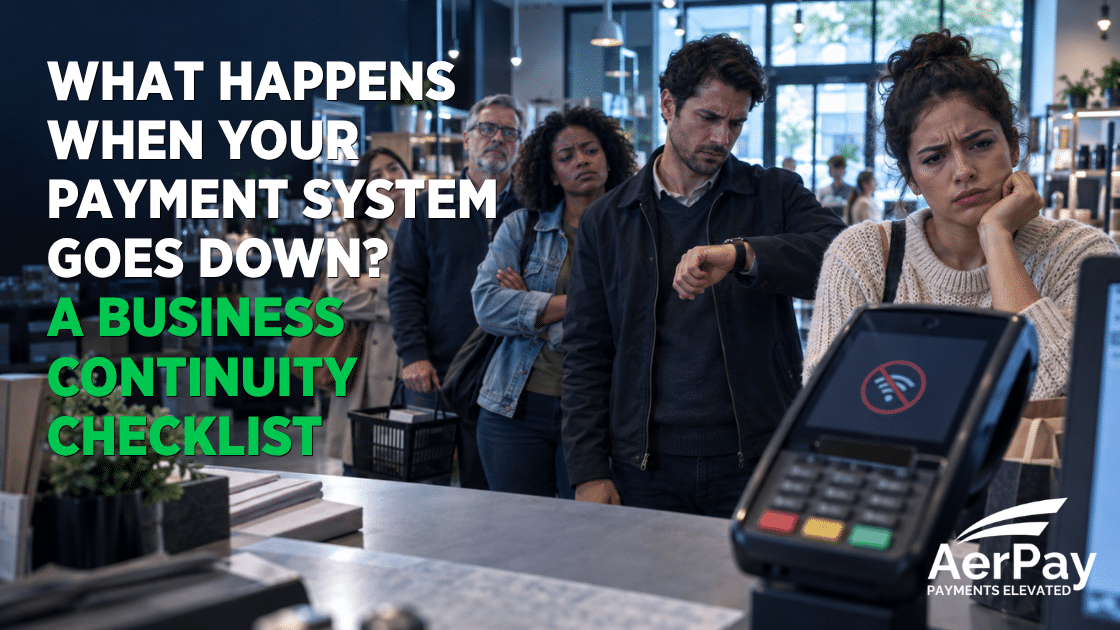
A line is forming. A customer is ready to pay. Then the terminal stops connecting.
For a retailer, restaurant, medical office, automotive shop, salon, contractor, or other service business, payment downtime can interrupt more than checkout. It can delay appointments, vehicle pickups, deliveries, table turns, and completed jobs. Staff may not know whether the problem involves one terminal, the local internet connection, the power supply, or the payment network. Customers may wonder whether an attempted payment went through.
The worst time to decide what to do is after the system has already stopped working.
A payment continuity plan gives employees a safe, consistent way to respond. It does not eliminate every outage, but it can help a business protect customer data, avoid duplicate transactions, communicate clearly, and keep collecting revenue through an approved alternative.
Payment Downtime Is a Business Problem, Not Just a Technology Problem
An unavailable payment system can create several problems at once:
- Customers cannot complete purchases or pay outstanding balances.
- Employees may retry the same transaction and create duplicate charges.
- Staff may improvise unsafe ways to record payment information.
- Orders, appointments, or completed jobs may be delayed.
- Managers may have difficulty determining which transactions were approved.
- End-of-day batches and deposits may require additional reconciliation.
The cost can grow quickly when a busy business depends heavily on electronic payments. The Uptime Institute’s 2025 Annual Outage Analysis reported that 54% of surveyed organizations said their most recent significant, serious, or severe outage cost more than $100,000. That figure reflects major technology outages across organizations of different sizes, not the expected cost for a typical small business. Still, it illustrates an important point: downtime has operational and financial consequences beyond the repair itself.
Businesses should treat payment resilience as part of broader continuity planning. The Federal Emergency Management Agency’s Ready Business resources recommend preparing for disruptions in advance, while its Business Impact Analysis guidance encourages organizations to identify the operational and financial effects of an interruption.
First, Determine What Is Actually Down
“The payment system is down” can describe several different problems. Before changing procedures, determine the likely scope.
Is it one device?
Check whether another terminal or register is working. A single-device problem may involve power, a cable, a frozen application, an equipment fault, or a local configuration issue.
Is it the business’s internet connection?
See whether other connected devices can reach the internet. If the POS, phones, tablets, and office computers have all lost connectivity, the problem may be the router, modem, internet provider, or local infrastructure.
Is there a power interruption?
A terminal may have battery power while the router, receipt printer, POS station, or network switch does not. Determine which parts of the payment environment still have power before moving to a backup process.
Is it a processor, gateway, or software outage?
If the internet works and multiple payment devices are affected, check the provider’s status notifications and contact support. Assign one employee or manager to make that call so several staff members do not receive conflicting instructions.
AerPay merchants can use the company’s customer-support resources when they need help diagnosing terminal or processing issues.
What Staff Should Do During the First Five Minutes
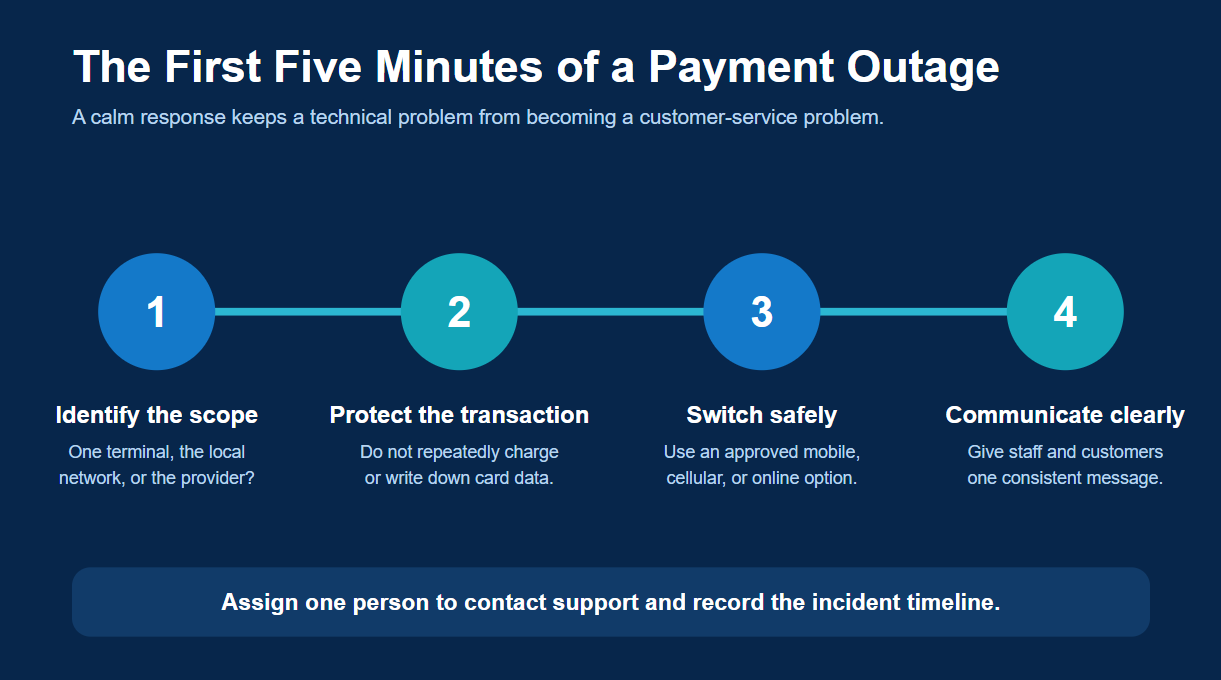
The opening minutes of an outage shape the rest of the response. Staff should follow a short procedure instead of experimenting at the register.
1. Pause repeated transaction attempts
When a terminal times out, it may not be immediately clear whether the transaction was approved. Repeatedly running the same card can result in duplicate authorizations or charges. Before trying again, check the terminal, POS, or reporting system for a transaction record.
2. Protect the customer’s payment information
Employees should never write down full card numbers, expiration dates, or security codes for later entry. They also should not place payment information in email, text messages, spreadsheets, or unsecured notes.
The PCI Security Standards Council’s merchant resources explain the basic safeguards businesses should use to protect payment data. AerPay also provides an overview of payment security and PCI compliance, including encryption, tokenization, EMV, AVS, and CVV protections.
3. Activate only an approved backup method
Use the alternative specified in the business’s continuity plan. Depending on the company’s setup, that might be a cellular-enabled terminal, an approved mobile acceptance option, a secure hosted payment link, or an authorized virtual terminal.
Do not assume that “offline mode” is automatically available or risk-free. Some equipment can store transactions for later transmission, but those transactions may not receive real-time issuer authorization. That can expose the merchant to declines, fraud, or nonpayment when connectivity returns. Use offline acceptance only when the processor, equipment, and written merchant procedures explicitly support it.
4. Give customers a simple explanation
Employees do not need to speculate about the technical cause. A useful script is:
“Our primary payment connection is temporarily unavailable. We have a secure backup option available, or we can send you a payment link if you prefer.”
Clear language reassures the customer while avoiding promises about restoration time.
5. Record the incident
Note when the issue began, which devices were affected, which support contact was called, what instructions were received, and when normal service returned. Do not include payment credentials in the incident log.
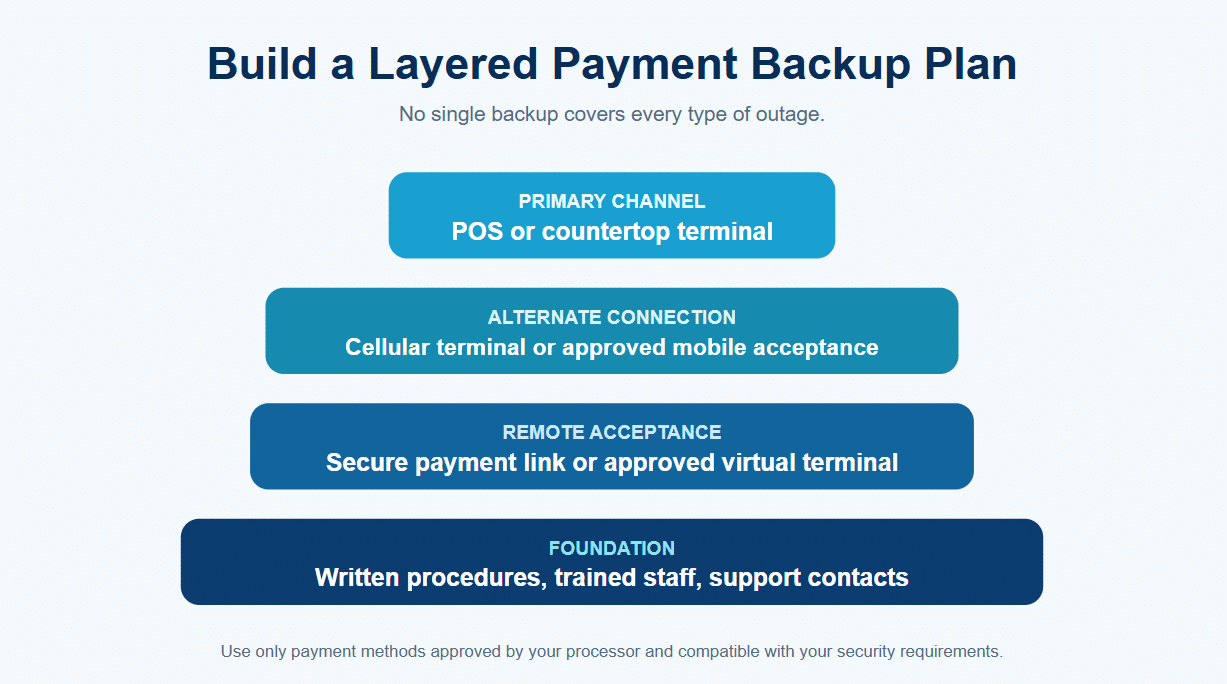
Build More Than One Backup Layer
A backup method is only useful if it depends on something different from the failed system. For example, a second Wi-Fi terminal will not help when the entire internet connection is down.
Layer 1: An alternative connection
Consider equipment that can connect through both Wi-Fi and cellular service. AerPay’s payment terminals include Wi-Fi and 4G options, allowing merchants to select equipment appropriate for a storefront, restaurant, field-service operation, or mobile environment.
A charged, approved mobile device can also provide flexibility when a fixed checkout station is unavailable. The device should already be configured, secured, and tested—not downloaded and set up for the first time during an outage.
Layer 2: A separate acceptance channel
If in-person equipment cannot connect, a secure online channel may provide another way to collect payment. AerPay’s hosted payment pages let businesses send customers a branded payment link by text or email without collecting card data directly.
For authorized staff handling phone or remote payments, an AerPay virtual terminal can accept card, ACH, or eCheck payments through a secure browser-based interface. Because virtual-terminal transactions are card-not-present payments, businesses should follow their processor’s verification, documentation, and employee-access requirements.
Layer 3: A delayed-payment procedure
Some businesses can complete the service and request payment later. That approach works best when the company already has accurate customer contact information, clear invoice terms, and an approved system for sending a secure payment request.
The procedure should define who is authorized to release merchandise, vehicles, orders, or completed work without immediate payment. Staff should not make that decision informally at the counter.
Layer 4: Cash handling, when appropriate
Cash may be an option for some businesses, but accepting it also requires preparation. The register must have change, employees need cash-handling procedures, and the transaction must still be entered into the business’s records. Cash is not a universal backup for remote services, high-ticket purchases, medical offices, or businesses that normally operate without a cash drawer.
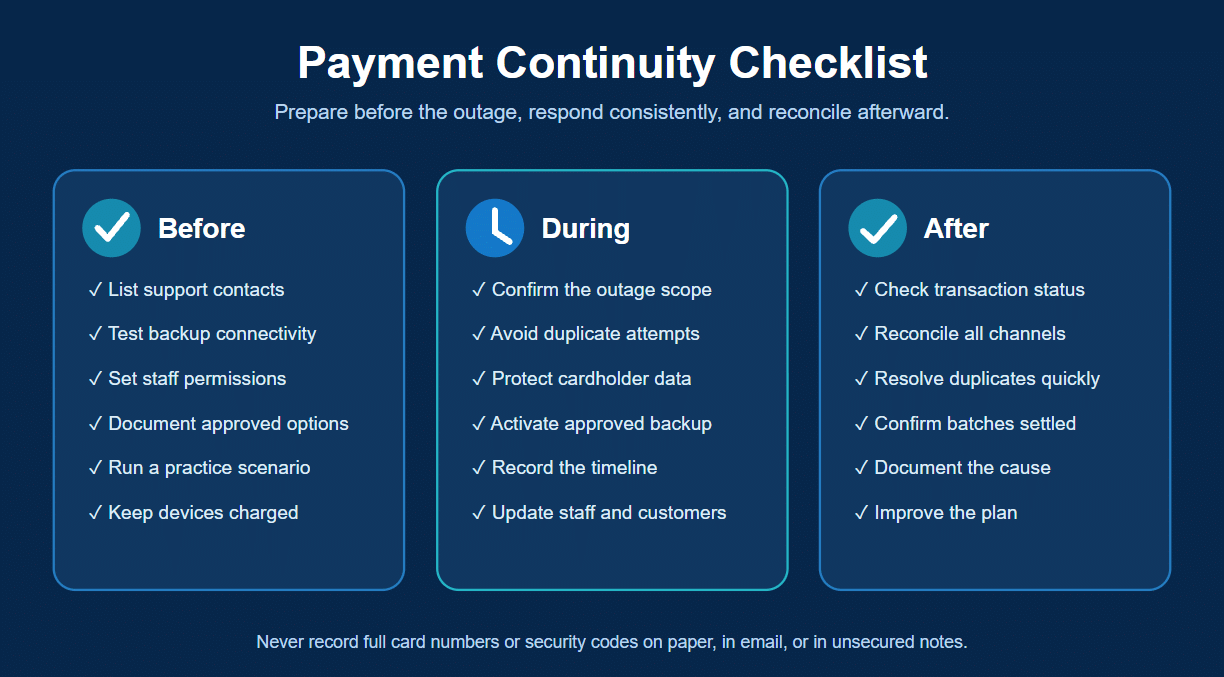
Create a Written Payment-Continuity Checklist
The plan should be short enough to use during a busy shift. Keep a printed copy near the register or operations desk and a digital copy where managers can access it.
Before an outage
- List payment-provider, equipment, internet-provider, and internal IT contacts.
- Identify which employees can access each payment method.
- Confirm that backup devices receive updates and remain charged.
- Test the backup connection and payment channel on a regular schedule.
- Document when offline transactions are—and are not—permitted.
- Create customer-facing language for delays and alternative payment options.
- Run a short practice scenario with employees.
During an outage
- Determine whether the problem affects one device or the entire operation.
- Stop repeated transaction attempts until approval status is known.
- Assign one person to contact support and record the timeline.
- Activate the approved backup method.
- Protect payment data and prohibit handwritten card information.
- Keep staff and customers updated using consistent language.
After service returns
- Confirm the status of every interrupted or timed-out transaction.
- Reconcile transactions from terminals, mobile devices, virtual terminals, and payment links.
- Identify and promptly resolve duplicate charges.
- Verify that stored or queued transactions—if expressly supported—were transmitted and settled.
- Confirm that normal batches closed and deposits were generated.
- Document the cause, response, and any changes needed before the next incident.
Test the Plan Before You Need It
A continuity plan can fail because of small, preventable issues: the backup terminal has not been charged, no one remembers the password, the designated employee left the company, the cellular signal is weak inside the building, or staff have never sent a payment link.
Quarterly testing can expose those gaps. Run a brief exercise in which employees pretend the primary terminal and Wi-Fi are unavailable. Ask them to identify the outage, locate the instructions, switch to the approved backup, explain the situation to a customer, and reconcile a test transaction.
The exercise does not have to interrupt the business. Even a ten-minute walkthrough before opening can show whether the plan is realistic.
Reliability Starts Before the Outage
No payment provider can promise that every device, network, utility, and outside service will always be available. Businesses can, however, decide how prepared they will be when one of those systems fails.
The strongest payment-continuity plans combine reliable equipment, more than one connectivity option, secure remote-payment tools, documented responsibilities, employee training, and responsive support. That preparation helps protect sales, customer trust, and payment data when the unexpected happens.
AerPay offers modern payment terminals, secure online-payment options, virtual terminals, and merchant support designed to keep businesses moving. Contact AerPay to review whether your current payment setup has the right backup options.
Sources
- Uptime Institute, Annual Outage Analysis 2025: https://uptimeinstitute.com/resources/research-and-reports/annual-outage-analysis-2025
- Ready.gov, Ready Business: https://www.ready.gov/business
- Ready.gov, Business Impact Analysis: https://www.ready.gov/business/planning/impact-analysis
- PCI Security Standards Council, Merchant Resources: https://www.pcisecuritystandards.org/merchants/
- Visa, service-downtime discussion: https://usa.visa.com/about-visa/newsroom/press-releases.releaseId.17301.html